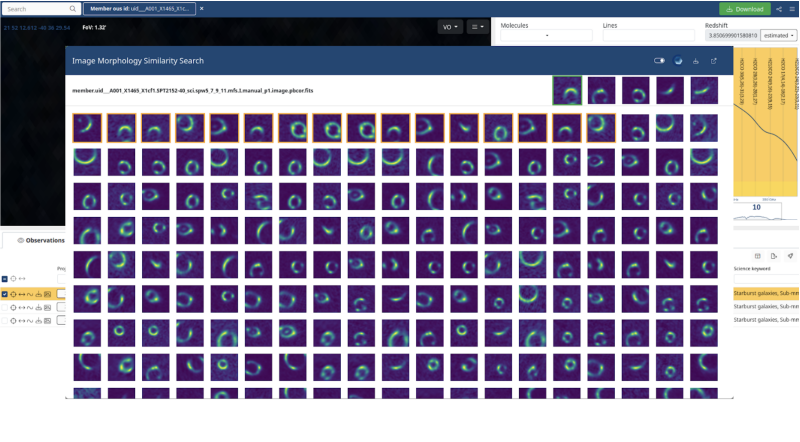
The ALMA Science Archive (ASA) now allows you to visually search for images that are morphologically similar to a given ASA image (currently 259,126 continuum images and 196,322 peak-flux images of data-cubes) with the aim to help you find such images extremely rapidly within the vast ASA holdings. A description of the state-of-the-art deep learning method used to determine similar images - self-supervised contrastive affine-transformation-independent representation learning with a deep neural network - and the interface we have developed can be found in this ESO Messenger article.
Morphological Image Similarity Search on the ALMA Science Archive
Published: 02 Dec 2025
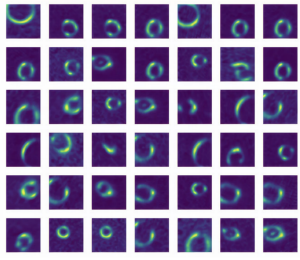
Look for the ~ icon next to a preview image and click on it to open the similarity search pop-up. In this window you will see the 1,000 images that are most similar to the one you have selected. On this interface, you can now select additional images of interest by clicking with the mouse (or right-click to select all images up to a given one). Each time you do so, the interface instantaneously updates the display, reordering the remaining images by their simultaneous similarity to all images selected so far. The automatic reordering can be toggled off and on using the control on the right-hand side of the top bar. Hovering over one of the thumbnail images provides additional information about the corresponding observation and FITS file. There are five ‘quick-look’ images displayed at the top right which correspond to the five largest image groups in the list of 1,000 images. Click on one of them to pre-select similar images in the interface.